
Crypto Withdrawal
How to Withdraw Crypto from NCN Exchange?
1. Log in to your NCN Exchange mobile application and tap [Asset] - [Withdraw].

2. Choose the cryptocurrency you want to withdraw, for example, USDT. Then, tap [Choose a withdrawal network].


3. Please choose the network carefully and make sure that the selected network is the same as the network of the platform you are withdrawing funds to, If you select the wrong network, your funds might be lost and couldn't be recovered.
How to choose a network?
Some of the common networks include:
- ERC20: Ethereum network;
- TRC20: TRON network;
- Bitcoin: Bitcoin network;
- The network selection depends on the options provided by the external wallet.exchange that you are making the withdrawal. If the external platform only supports ERC20, you must select the ERC20 deposit network.
- DO NOT select the cheapest fee option. Select the one that is compatible with the external platform. For examplem you can only send ERC20 tokens to another ERC20 address, and you can only send TRC20 tokens to another TRC20 address. If you select incompatible/different deposit network, you will lose your funds.
- You should also confirm that the receiving platform supports the contract address of the token you're withdrawing, or your assets might be lost and cannot be recovered. You can check the list of supported contract addresses form the receptive platform.
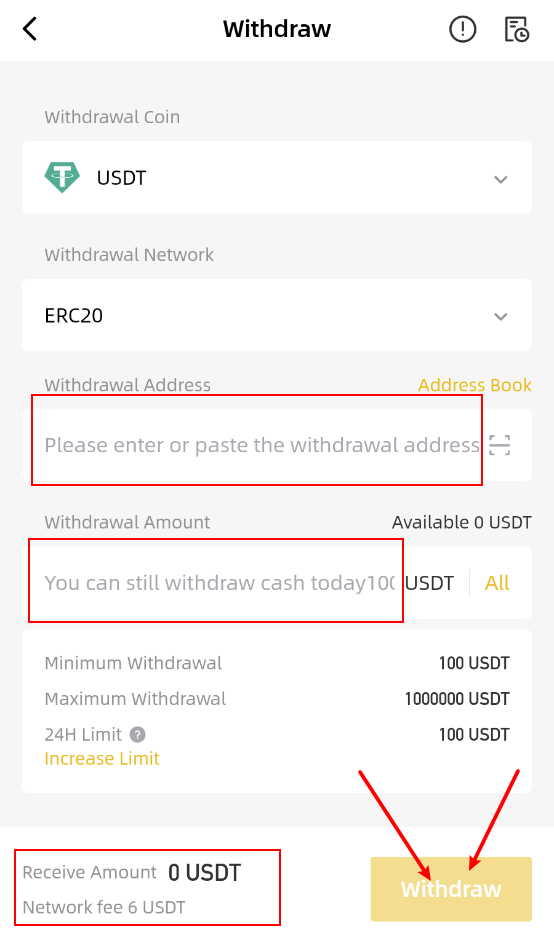
4. Enter the withdrawal amount and you will see the corresponding transaction fee and the final amount you will receive. Please check the withdrawal address and network carefully and tap [Withdraw] to proceed.
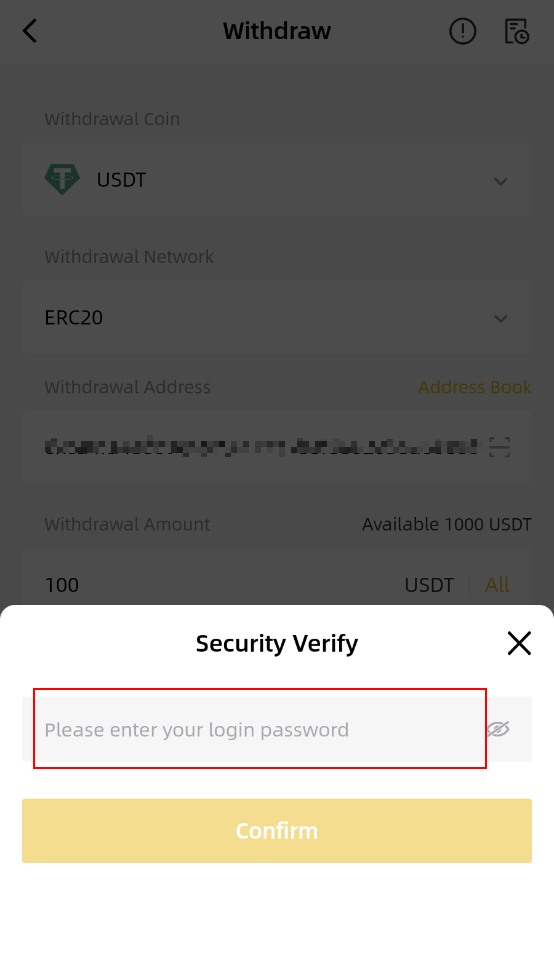
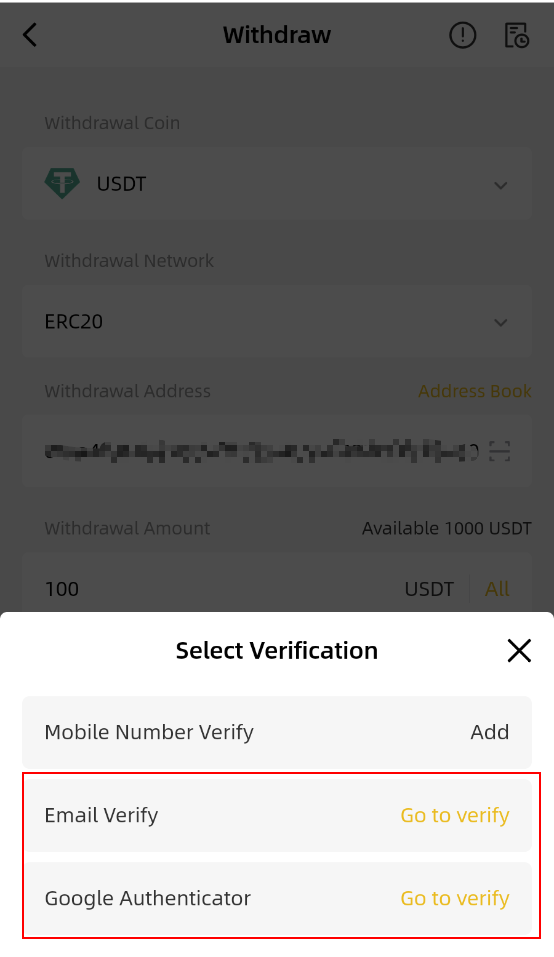
5. Verify the transaction with your 2FA Devices/Mobile Phone number/Email. After confirming the withdrawal request, please wait patiently for the transfer to be proceesed.
Please note that if you enter the wrong information or select the wrong network when making a transfer, your assets will be permanently lost. Please make sure the information is correct before you confirm the transaction.