
Crypto Deposit
How to deposit crypto on the NCN Exchange Mobile application?
1. Log in to your NCN Exchange mobile application and tap [Deposit].

2. Choose the cryptocurrency you want to deposit, for example, USDT.

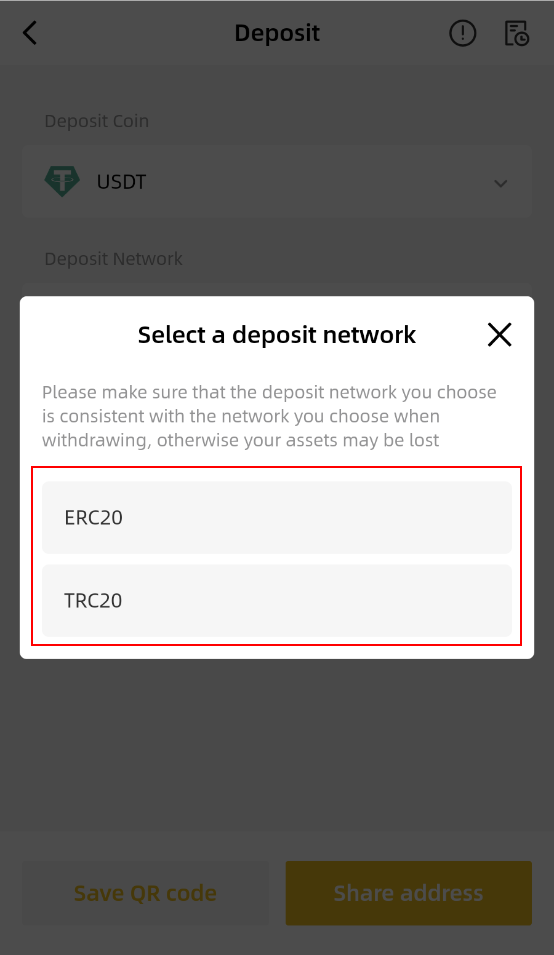
3. You'll see the available networks for depositing USDT. Please choose carefully and make sure that the selected network is the same as the network of the platform you are withdrawing funds from. If you select the wrong network, your funds might be lost and cannot be recovered.
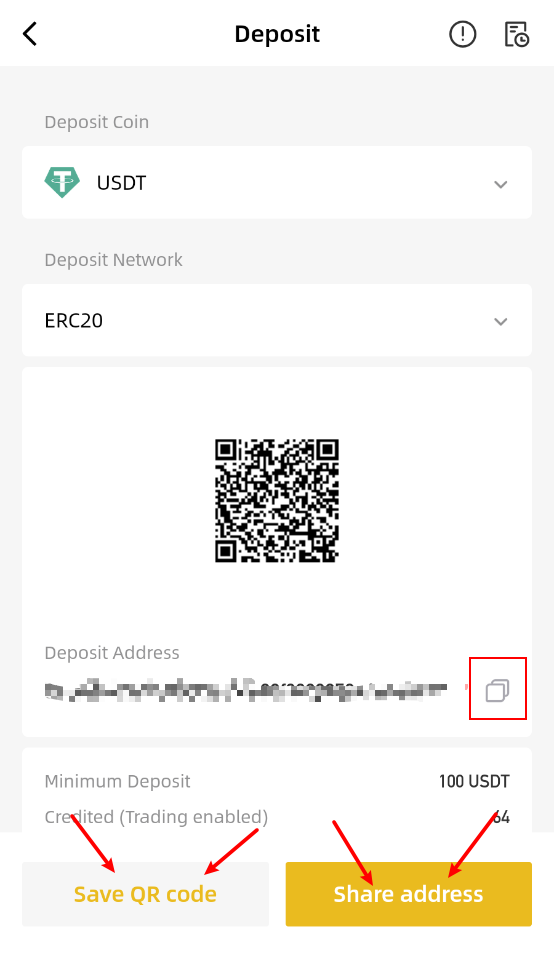
4. You'll see a QR code and the deposit address for the network you chose. Tap the [Share address] to copy the deposit address, then paste it to the address field on the platform you intend to withdraw crypto from. You may also tap [Save QR code] to save the QR code and import it to the withdrawing platform directly.
5. After confirming the deposit request, your transfer will be processed. The confirmation time varies depending on the blockchain and its current network traffic.
Once confirmed, the funds will be credited to your NCN Exchange account shortly after.