
Identity Verification
How to Complete Indentity Verification?
1. Log in your personal NCN Exchange account and click the [Profile]. Select [Identity Authentication]


2. First you need to complete [Lv.1 Basic Verification]. Select your country of residence and the document type. Enter your personal information and click [Save]
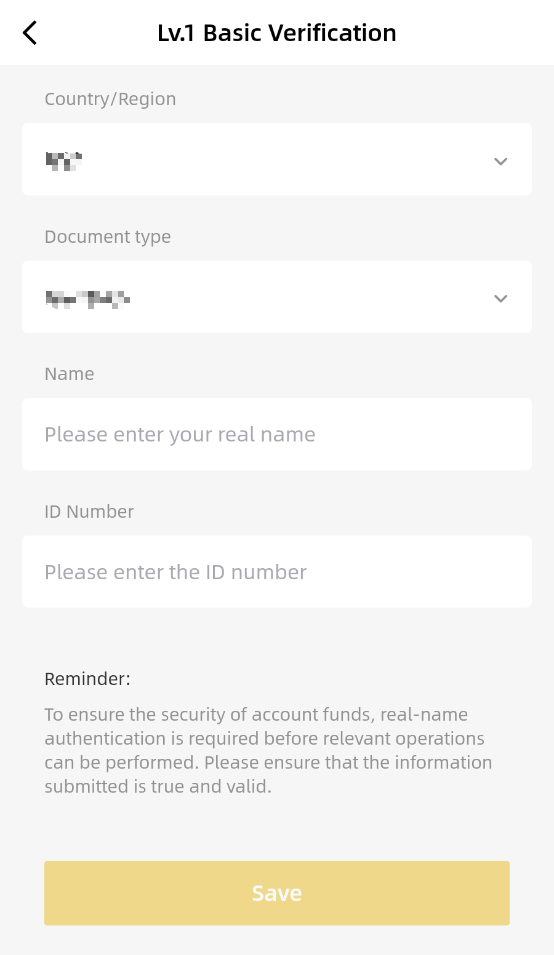
3. Next, you'll need to complete [Lv.2 Advanced Verification]. You need to verify your ID document. You have to enter the same personal information as per your [Lv.1 Basic Verification] and click [Next step]
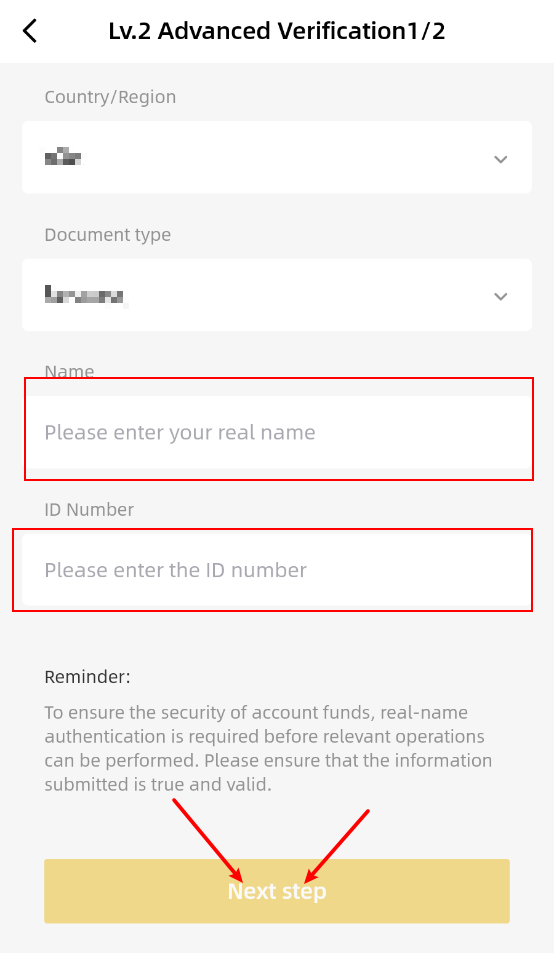
Please upload the true and valid ID document as per the personal information you enter. Then complete the face detection which same with the ID document you submit.
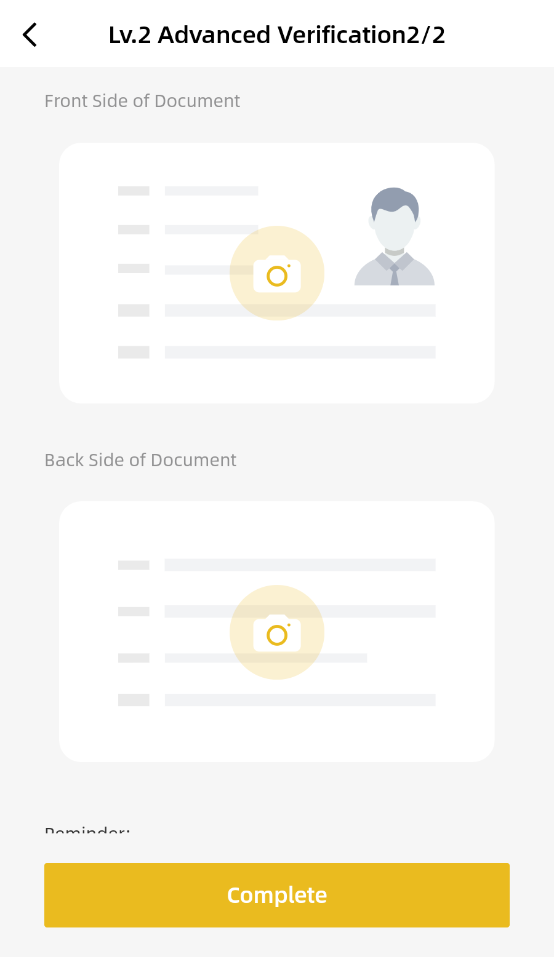

4. NCN Exchange will review your data in a timely manner. Once your application has been verified, you will be noticed.
Why do I need to complete identity verification?
NCN Exchange requires users to complete identity verification to increase their account security.
If you're experiencing problems with withdrawals, please refer to the following reasons and solutions:
1. You're accessing your account from multiple IP addresses
If you are accessing your NCN Exchange account from multiple IP addresses, the system will deem it as "suspicious" and will temporarily suspend withdrawals from your account to protect your assets.
Please contact NCN Exchange Support to verify your identity.
2. You haven't completed advance verification
If you haven't completed the advance verification process during identity verification, your withdrawal amount will be limited.
To increase your withdrawal limit, you can complete the identity verification on the NCN Exchange website or app, or contact NCN Exchange Support to provide additional information for verification.
3. There are problems with your identity verification
If the information you submitted for identity verification is incomplete, withdrawals will be temporarily suspended from your account.
Please contact NCN Exchange Support to provide additional information for verification.
4. You haven't enabled two-factor authentication (2FA)
Two-factor authentication (2FA) is when you protect your account with two factors or locks, creating an additional layer of security, such as passkeys, Google Authenticator, and SMS verification.