
Guide to Account Functions - Mobile Application
How to Register on the NCN Exchange Mobile Application?
1. Open the NCN Exchange mobile application and tap [Register/Login]

2. Tap [Register now]

3. Select a registration method. You can register with your email address or mobile phone number. Expand each below to view the respective step-by-step guide.

Note: To protect your account, we highly recommend enabling [Email Verify], [Mobile Number Verify], [Google Authenticator] and [Biometric ID] for mobile app.
How to Delete My NCN Exchange Account?
1. Log in your NCN Exchange Account, tap [Account Center].

2. Tap [Security Center] - [Delete Account]. Please note that when you deleted your account, all data in the account will be cleared.


How to Reset Your NCN Exchange Account Password?
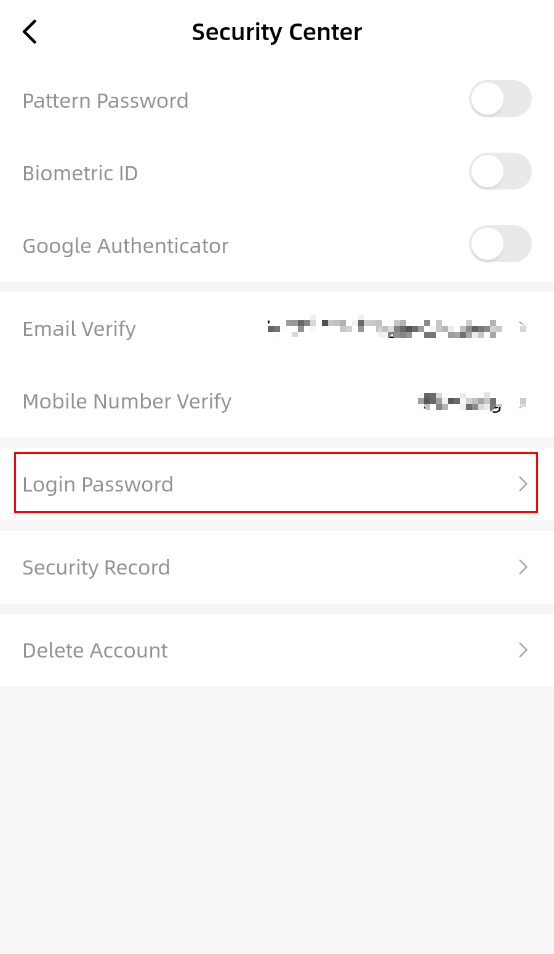
1. Log in your NCN Exchange Account, tap [Account Center] - [Security Center].


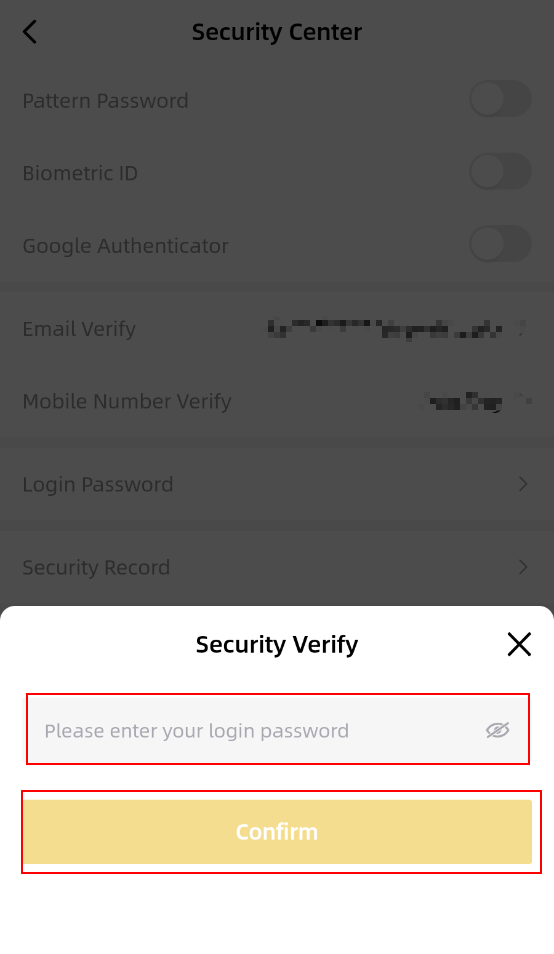
2. Tap [Login Password]. Enter your login password and tap [Confirm].
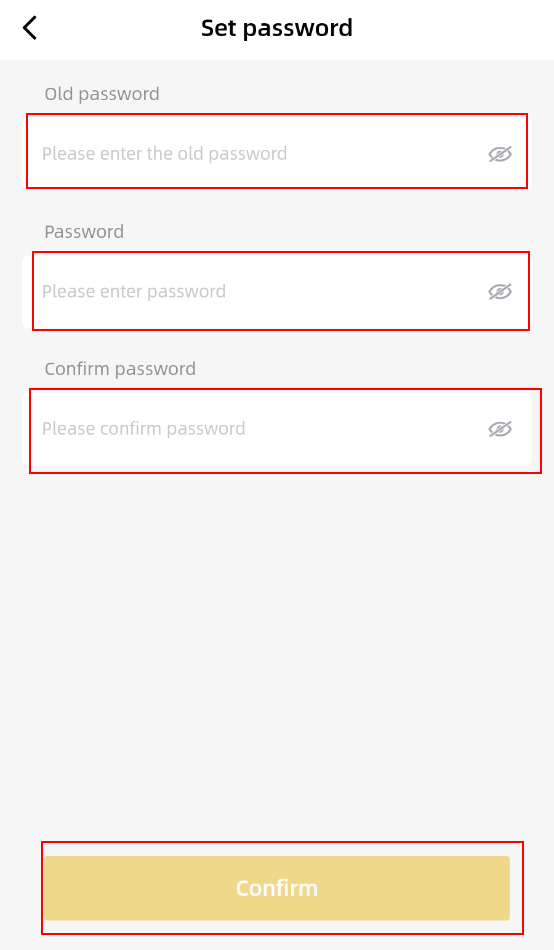
3. Enter your NCN Exchange Account old password, new password and tap [Confirm]. Make sure you enter valid password. If you forget your password kindly contact NCN Exchange Support to verify identity.
How to Find My NCN Exchange User ID(UID)?
1. Log in your NCN Exchange Account, tap [Account Center].

2. You will then see your User ID(UID) below your nickname.
